
User Roles & Permissions
ICARE uses a granular Role-Based Access Control (RBAC) system to segregate administrative, clinical, and accounting operations.
Role Hierarchy
The platform separates access levels based on distinct operational roles:
| Role | Access Scope | Key Capabilities |
|---|---|---|
| Super Admin | Platform-wide | Create/modify SaaS subscription plans, approve tenant registrations, view platform audit logs. |
| Clinic Admin | Single Clinic (Tenant) | Manage clinic settings, add/edit staff, configure services, and review reports. |
| Doctor | Clinic-scoped (Own Patients) | Manage appointments schedule, write patient prescriptions, and view personal income logs. |
| Assistant / Nurse | Clinic-scoped | Register patients, perform check-ins, record vitals, and view clinic calendar. |
| Accounting | Clinic-scoped | Generate invoices, accept payments, handle doctor payouts, and export financial summaries. |
| Lab Staff | Clinic/Lab-scoped | Manage diagnostic bookings, update pathology sub-test parameters, and upload result sheets. |
| Patient | Self-contained | Schedule appointment, review digital prescriptions, update personal vitals tracker. |
Granular Permission Keys
Behind each role is a mapping of explicit permission strings. In the codebase, authorization is checked dynamically using:
Helpers::hasPermission('PERMISSION_KEY')Primary Permission Groups
- Financial Controls:
DOCTOR_INCOME_VIEW(Doctor income logs),DOCTOR_PAYOUT_ADD(Recording payouts to doctors), andCLINIC_FINANCIAL_SETTINGS_UPDATE. - Clinical Operations:
APPOINTMENT_REASSIGN_DOCTOR(Reassigning doctor to another within department), andPRESCRIPTION_DELETE. - SaaS Management:
PLATFORM_PLAN_MANAGE,PLATFORM_SUBSCRIPTION_VIEW, andSUBSCRIPTION_APPROVE.
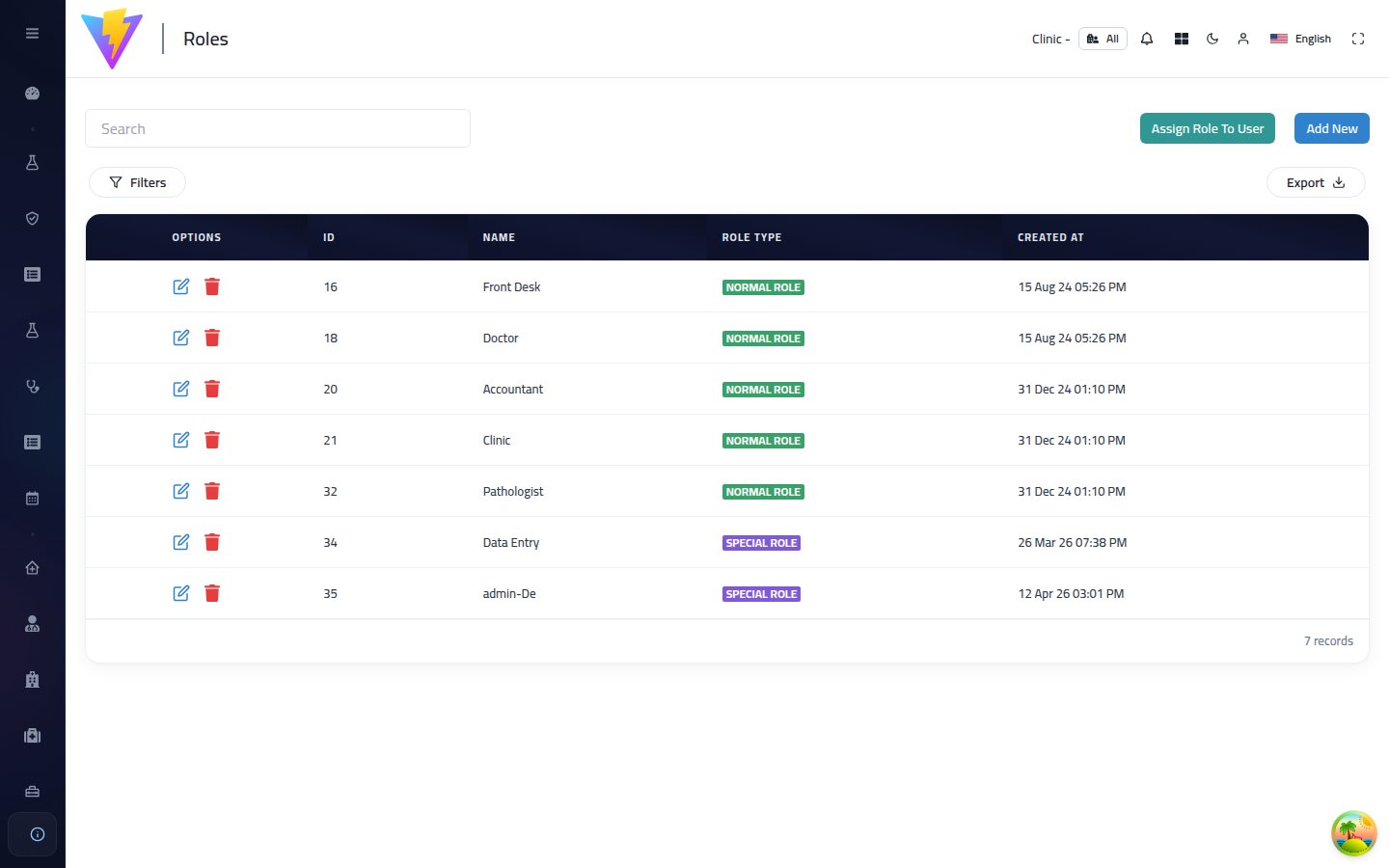
Roles Management Dashboard
Here is the Roles & Permissions management panel from the live Admin Dashboard where roles can be added and permissions toggled in real time:
Dynamic Role Mapping Flow
The permission inheritance model maps as follows: User identities link to specific roles, which map to individual permissions.
graph LR
USR[User Account] -->|assigned| ROLE[Role]
ROLE -->|has| PERM_MAP[RolePermission Matrix]
PERM_MAP -->|grants| P1[DOCTOR_INCOME_VIEW]
PERM_MAP -->|grants| P2[APPOINTMENT_REASSIGN_DOCTOR]
PERM_MAP -->|grants| P3[CLINIC_REPORTS_VIEW]